Tech help for seniors: the first 8 things worth learning on a phone or tablet
Bigger text, video calls, photos, spotting scams and four more phone and tablet skills worth learning first, one step at a time.
By the Home Happenings team · October 11, 2026
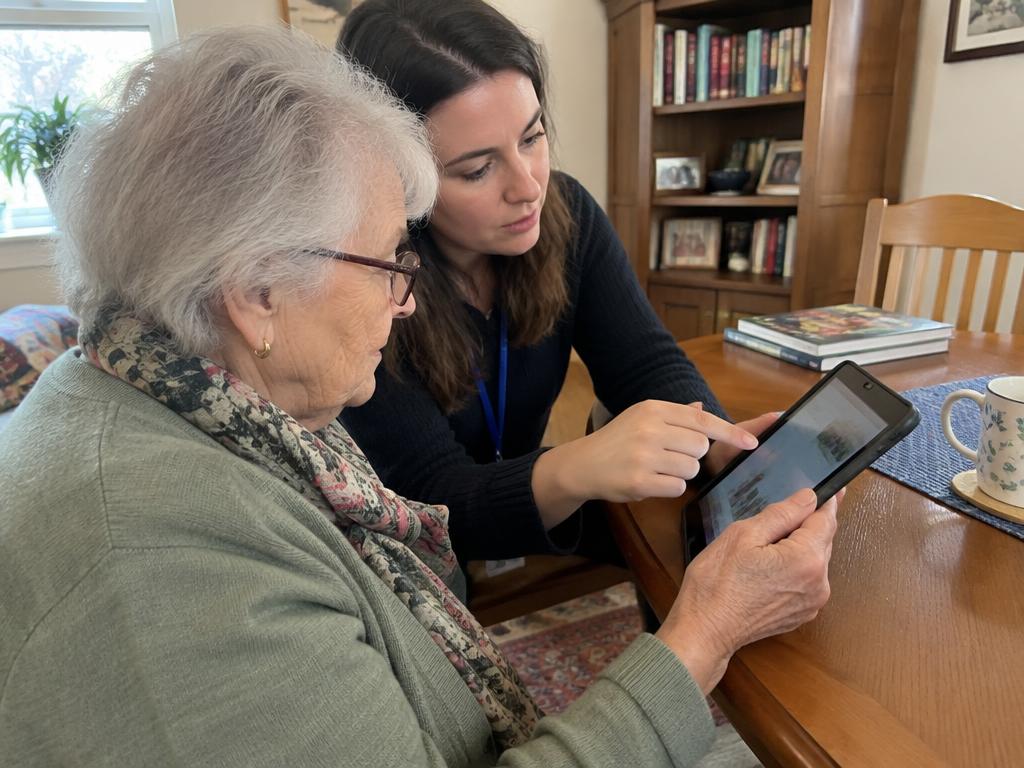
A new phone or tablet can feel like being handed a car with the dashboard rearranged. Everyone assumes you know where things are. The kids show you something once, at top speed, then go home, and you're left staring at a screen that somehow looks different from how they left it.
The good news is you don't need to learn everything. Most people use a small handful of features nearly every day. Get comfortable with those and the rest can wait. Here are the first eight things worth learning, in roughly the order that makes sense.
1. Making the screen easier to see and use
Before anything else, make the device fit you. Both iPhones and Android phones let you:
- Make the text bigger
- Turn up the brightness
- Make icons and buttons larger
- Turn on bold text
- Give yourself more time to tap and hold
This takes about ten minutes and makes everything after it easier. If you only learn one thing, learn this. Squinting at tiny print is the reason a lot of people give up.
2. Calling and texting the people who matter
It sounds basic, but plenty of people struggle with their contacts list. Learn how to:
- Add a new contact with a name and number
- Mark a few people as favorites so they're one tap away
- Send a text and read the replies
- Send a photo in a text
Putting your five or six most important people at the top saves a lot of scrolling.
3. Video calls
For a lot of families this is the big one: seeing the grandkids' faces, not just hearing their voices. Your family might use FaceTime, WhatsApp, Zoom or Google Meet. Whichever it is, learn:
- How to answer a video call (it often looks different from a regular call)
- How to start one with a favorite contact
- How to flip the camera to show someone what you're looking at
- How to mute and unmute
Practice with a friend or relative a few times before the big family call. The first try is always a little clumsy.
4. Taking, finding and sharing photos
Phones have become the family photo album. Learn how to:
- Take a photo, holding the phone steady
- Find the photos you've taken
- Open photos people send you
- Share a photo with family
- Delete the accidental pictures of your thumb
If your family keeps a shared album, this is the moment to get added to it. New photos of the grandkids will show up without anyone having to remember to send them.
5. Spotting scams
This one matters more than it should. Scam calls, texts and emails have gotten very convincing, and many of them target older adults on purpose. Learn the warning signs:
- Urgent messages asking for money, gift cards or wire transfers
- Texts that claim to be from your bank, the post office or a delivery service, with a link to click
- A call from someone saying they're your grandchild in trouble, and asking you not to tell anyone
- Anyone asking for passwords, the codes sent to your phone, or your Social Security number
- Pop ups saying your device is infected and you need to call a number
One simple rule covers most of it: if something feels urgent and involves money, stop. Hang up, don't click, and call the person or business back at a number you already know is real.
6. Keeping the device charged and updated
Two habits keep a phone or tablet working well:
- Charge it every night. Pick one spot, by the bed or on the kitchen counter, and make it routine.
- Accept updates. When the device asks to update, it's usually fixing problems and closing security holes. Let it, ideally overnight while it charges.
Also learn how to restart it. Turning a phone off and back on fixes a surprising number of problems.
7. Using your voice
Talking to your phone can be easier than typing on it. Learn how to:
- Ask Siri or Google Assistant to call someone ("Call my daughter")
- Dictate a text message instead of typing it
- Set a reminder or an alarm by voice
- Ask a quick question, like tomorrow's weather
For anyone with stiff fingers or trouble seeing small keys, this can change how useful the phone is.
8. A few apps that fit your life
Once the basics feel comfortable, add a few apps that match what you actually do. Not twenty. A few. Common choices:
- A weather app
- Your pharmacy's app for refills
- A news or radio app
- Your library's app for free ebooks and audiobooks, if your library offers one
- A maps app, even if you don't drive, to look up where things are
- A simple game, like a crossword or solitaire
How to actually learn this stuff
Knowing what to learn is half of it. How you learn it matters just as much.
One thing at a time. Trying to learn video calls, photos and email in one afternoon is a good way to remember none of them.
Do it yourself, with someone beside you. Watching someone else tap through screens doesn't stick. Your own hands need to do it.
Write it down. Keep a small notebook with steps in your own words. "Tap the green phone, then the star at the bottom."
Repeat it over a week. Come back to the same task a few days in a row until it feels normal.
Ask the same question twice. Everyone does. A patient teacher won't mind at all.
Why family isn't always the best teacher
This isn't a knock on kids and grandkids. They mean well. But family tends to go fast, take the phone out of your hand, and sigh a little the third time through. It's nobody's fault. It's just hard to teach someone you love.
Someone from outside the family, who comes to the house and goes at your pace, often works better. Home Happenings' tech help pros teach phones, tablets, video calls, photos and scam awareness, one step at a time, in your own home.
Setting up tech help for a parent
If you're arranging this for Mom or Dad from out of town:
- Make a short list of what they most want to do (video calls with the grandkids is usually near the top)
- Share it with the pro in a message before the first visit
- Book "4 weeks, same time" so each visit builds on the last
- Read the pro's note after each visit, then practice that same thing together on your next call
Visits are 1, 1.5 or 2 hours, and pros set their own rate between $50 and $150 an hour. Home Happenings serves towns across Essex County, including Bloomfield and South Orange.
Getting started
You don't need to master the whole phone. You need eight things, one at a time, with someone patient beside you. When you're ready, you can browse pros near you or read how it works first.
Related activities
Find a local pro
Checked and vetted professionals who teach at home across Essex County.
Browse professionals